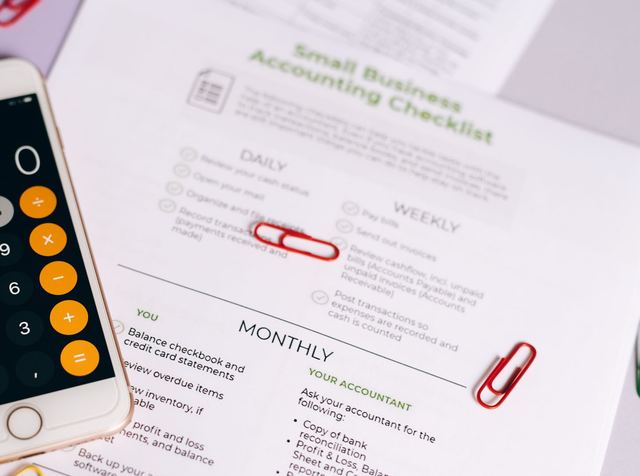

Accounting workflow software earns its place the moment your firm can answer one question without opening a file: which jobs are waiting on a client right now, and how long they have been waiting. A tracker built on tasks cannot answer it, because the work is not made of tasks. It is made of jobs, each carrying a client, a service, a period, an owner, and a due date that is often computed rather than typed. Get that record right and the rest is reporting.
What Accounting Workflow Software Has to Represent
Accounting workflow software is the layer that tracks where each job has reached, and it holds one record per job. A job is a unit of work you deliver for one client, for one service, for one period. Everything else in the product is scaffolding around that record.
Seven fields make the record usable. Each one is there because a report or a handoff breaks without it.
| Field | What it holds | What breaks without it |
|---|---|---|
| Client | The entity you deliver to, not the contact you email | Jobs for related entities collapse into one thread |
| Service | The named deliverable, at the level you scoped and priced it | You cannot compare the same work across clients |
| Period | The month, quarter or tax year this job covers | Recurring work has nowhere to live |
| Stage | Where the job sits in your process right now | No report can say what is in flight |
| Owner | The one person holding it during this stage | Work waits on nobody in particular |
| Due date | The date this job is measured against | Everything looks equally urgent in March |
| Dependency | The job that has to finish before this one starts | Sequencing lives in somebody's memory |
Two of the seven carry most of the weight, and they are the two a general tracker does not have. Period is what turns a task into a job, because it makes June's close a different record from July's rather than the same card reopened. Dependency is what stops a partner discovering in September that a personal return was waiting on an entity return nobody had started.
Owner deserves a rule of its own. A job has one owner at a time, and the owner changes when the stage changes. A job owned by a team is a job owned by nobody.
Why a Task Tracker Falls Apart on Recurring Work
A general task tracker has no period field, so recurring work has nowhere to sit except in a card that gets reused.
The reuse is the damage. When last month's checklist is reopened for this month, what was late, what was queried and who fixed it gets overwritten. Ask that system how many closes ran late last quarter and it has nothing to count, because there was only ever one record.
Done behaves differently too. In a task tracker, done is the end. In a firm, delivering the June close means the July close should already exist, with an owner, the same steps and a new period.
Then variation between clients finishes it. Client processes rarely match exactly, and a task list can hold that variation only by becoming a separate list per client. Once that happens, nobody maintains them.
Recurring Job Templates and the Period Rollforward
Templates come in two kinds, and this layer needs both. A recurring template describes work that repeats on a cycle: the monthly close, the quarterly filings, the annual return. A one-off template describes work with an end: a cleanup, an entity setup, a lender request.
Rollforward is what recurring means in practice. When a job closes, the system creates the next period's job from the same template, recomputes the dates for that period, defaults the owner, and carries the client-specific deviations you agreed to rather than the ad hoc edits somebody made under pressure.
That last distinction is where rollforward usually breaks. A deviation belongs in the template when it is how this client is served every period. It belongs in the job when it was true once. Carry everything forward and the template becomes an archaeological record inside a year.
Rollforward moves the container, not the content. What each line inside a recurring close has to hold up to is a separate question, worked through in the month-end close checklist.
Test rollforward in the demo rather than in the brochure. Close a recurring job, then look at what appeared without anybody typing: whether the next job exists at all, which dates were recomputed and which were copied, and whether the client's agreed deviations came with it.
The Due Date Field Is Three Different Dates
One date field cannot hold what a job is measured against, because a job is measured against three dates. There is the deadline the law sets, the deadline after an extension, and the internal target your firm works to. Only the third is yours to type.
The Statutory Deadline Is Computed, Not Typed
Federal filing dates are written as a function of the taxpayer's year end rather than as a fixed day on the calendar. Subject to its own exceptions, returns of income for individuals, estates, domestic trusts and foreign trusts having an office or place of business in the United States are filed on or before the fifteenth day of the fourth month following the close of the taxable year, while the return of a foreign trust that does not have an office or place of business in the United States is filed on or before the fifteenth day of the sixth month (eCFR, section 1.6072-1).
The entity dates split the same way and land in different months. An S corporation return is filed on or before the fifteenth day of the third month following the close of the taxable year, a C corporation return on or before the fifteenth day of the fourth month, and the return of an organization exempt from taxation under section 501(a), other than an employee's trust, on or before the fifteenth day of the fifth month (eCFR, section 1.6072-2).
One expiring exception shows why the field has to be computed rather than remembered. For taxable years beginning before January 1, 2026, a C corporation whose taxable year ends on June 30 files on or before the fifteenth day of the third month following the close of the taxable year instead of the fourth (eCFR, section 1.6072-2).
The computed date then moves again for the calendar. When the last day prescribed under authority of any internal revenue law for performing an act falls on a Saturday, Sunday or legal holiday, the act counts as timely if it is performed on the next succeeding day that is not a Saturday, Sunday or legal holiday, and any authorized extension of time is included in working out that last day (eCFR, section 301.7503-1).
Legal holiday there is wider than a national calendar. It includes the legal holidays in the District of Columbia, and where an act is required to be performed at an office of the Internal Revenue Service located outside the District but within an internal revenue district, it also includes any statewide legal holiday of the state where the act is required to be performed (eCFR, section 301.7503-1).
Read those together and the due date on a job is an output. It is derived from the return type, the taxpayer's class and the client's year end, then shifted for weekends and holidays. A tracker that stores a typed date and copies it into next year's job is wrong for every client whose year does not end in December, and quietly wrong in any year when a deadline slides. Store the year end on the client, store the rule on the service, and let the date be worked out.
An Extension Moves One Date and Not the Other
Whether to extend at all is a scheduling decision, and it sits with the capacity plan. How an extension is represented sits with the record, and it goes wrong in a particular way.
An extension is not a job closing, and representing it as one is how a firm loses the payment. An individual gets an automatic 6-month extension of time to file by submitting a complete application on Form 4868, or in any other manner the Commissioner prescribes, filing it on time with the Internal Revenue Service office named in the instructions, and showing the full amount properly estimated as tax for the taxable year. That extension will not extend the time for payment of any tax due on the return (eCFR, section 1.6081-4).
Partnerships take the same shape with a longer consequence. A partnership required to file Form 1065 or Form 8804 gets an automatic six-month extension of time to file by submitting a complete application on Form 7004, or in any other manner the Commissioner prescribes, on time and to the office named in the instructions. That extension does not extend the time for filing a partner's income tax return or the time for the payment of any tax due on a partner's income tax return (eCFR, section 1.6081-2).
A third rule runs the other way, and it is the one a system built on the first two gets wrong. An extension of time for filing returns and for paying any tax shown on the return is granted to and including the fifteenth day of the sixth month following the close of the taxable year for a short list of taxpayers, among them United States citizens or residents whose tax homes and abodes, in a real and substantial sense, are outside the United States and Puerto Rico. Qualifying takes a statement attached to the return showing that the taxpayer is one of them. A taxpayer in that group who needs longer than that date has to request the extra time on or before it, by checking the appropriate box on the applicable extension form or in any other manner the Commissioner prescribes (eCFR, section 1.6081-5).
So an extended job needs three things at once, and none of them is a closed status. The filing stage carries a new deadline. A payment obligation stays on the original date unless a rule of the third kind applies. And the dependency between an entity return and an owner's personal return does not move just because the entity's deadline did. If your system represents an extension by closing the job and opening a fresh one in the autumn queue, the work that stayed on the spring date has left the record.
A Status Ladder That Means Something
In progress is not a stage, because nobody can act on it. A stage is worth having when a job leaves it for a reason somebody outside the job can see, which gives you the test: name the event that ends the stage, and name who holds the job next. If either has no answer, you are looking at a feeling rather than a stage.
A ladder that passes that test looks close to this, with your own firm's names on it.
| Stage | It ends when | Who holds it next |
|---|---|---|
| Queued | The owner opens the file and starts work | The preparer |
| Waiting on client information | The named item arrives, item by item | The preparer |
| In preparation | The preparer marks it complete with support attached | The review queue |
| Ready for review | A reviewer picks it up | The reviewer |
| In review | The reviewer accepts it, or sends it back | The firm on acceptance, the preparer on rework |
| Rework | The corrected file goes back | The reviewer |
| Waiting on client approval | The signed authorization comes back | The firm |
| Filed or delivered | Confirmation is received and recorded | The firm |
| Closed | Workpapers are filed and the next period is open | Nobody |
Two of those stages look identical on a dashboard and must never be merged. Waiting on client information and waiting on a reviewer both read as stalled, and only one of them is inside your control. Merge them and you get the report that has a partner shouting at the wrong person in March.
Ready for review is the only stage with no owner, and that is deliberate. It is a queue, and seeing a queue is what lets you move a reviewer while there is still time to move one. Why that particular queue decides how a season goes is worked through in building a capacity plan that holds.
One more stage exists when somebody outside your firm has to act before the work can move, which makes one more real handoff and one more row than the ladder above. Before a client's tax return information goes to a preparer outside the United States there is a consent step, covered in what offshore quality control has to prove. The signed authorization that has to be in hand before an electronic return is transmitted is the waiting on client approval row above, and who is allowed to hold that authorization is covered in how an offshore team is structured.
Three Reports the Layer Has to Produce
If the record is right, three reports come out of it, and a report you cannot produce usually points at a field the record is missing. Work in progress, or WIP, is used two ways in a firm: the unbilled time sitting on a client, and the jobs that have been started and not yet delivered. This layer reports the second one.
WIP by stage tells you how much work is sitting where at this moment. It is the staffing view, and it answers whether the next available hour goes to preparation, to review or to chasing clients.
Aging by stage tells you how long jobs have been sitting where they are, and the current stage alone cannot produce it. The system has to record when a job entered its stage, not only that it is there now. That single field is worth asking about in a demo, because a tracker can look complete and still keep no history of when anything moved.
Jobs blocked waiting on client information is the only one of the three you can act on the same day. It has to name the client, the item requested and the date it was asked for, so the chase list is a report rather than a memory.
Each of those reads a specific field. Ask which field, and you find out whether the report is real or assembled by hand once a week.
Buying Criteria That Belong to This Layer Only
The questions you would put to any software vendor, about exports, about what happens when you stop paying and about which layer a product actually replaces, are already set out in which layer your firm is buying, along with the independence rule that decides where a client's files are allowed to live when your firm performs attest work. That rule is a document and portal question rather than a workflow one. Three more criteria belong to this layer alone, and each has a test you can run while the vendor is still on the call.
Does it model a job separately from a task? Create two jobs for the same client and the same service in different periods, then check they hold separate histories, separate owners and separate dates. If the second one is the first one reopened, it is a task tracker with better marketing.
Does it roll recurring work forward? Close one job and watch what appears without anybody typing. Ask which dates were recomputed, which were copied, and where a client's agreed deviations are stored so they survive the next period.
Can it show a queue by reviewer? Ask for a live view of everything ready for review, aged, filtered to one reviewer. A dashboard of counts is not the same thing, because you cannot assign work from a count.
Questions Firms Ask About Accounting Workflow Software
What Is Accounting Workflow Software?
Accounting workflow software is the system that holds one record per job, where a job is one client, one service and one period, and moves that record through named stages until it is delivered. It is not the ledger your client keeps or the tax suite you file from, and it is not the document store or the client portal.
What Is the Difference Between Accounting Workflow Software and Practice Management Software?
Workflow is the stage engine. Practice management is usually the same job record with time, billing and client data hung off it. The question worth asking is not which label a product wears but which system owns the job record, because when two of them both think they own it you end up with two due dates and no way to tell which one your firm is working to.
How Many Stages Should a Workflow Have?
As many as you have real handoffs, and not one more. The ladder above runs one row per handoff, which is why it is that long and not longer. Add a stage only when you can name the event that ends it and the person who holds the job next, because stages added for visibility produce a ladder nobody updates, and that is worse than a short one everybody keeps current.
Write the Stages Down Before You Buy the Software
A workflow you cannot describe cannot be configured. Before any demo, write your own ladder out: the stages, the event that ends each one, the owner in each, and the fields a job carries from the first stage to the last. That document is the implementation. The software is where you type it.
Then the work becomes maintenance, and that is where trackers die. A stage nobody enters and an owner who left the firm are invisible until a report is wrong. Name the person allowed to change stage definitions, and check the WIP report against the actual pile once a quarter. An unmaintained tracker produces a report nobody trusts by March, and a firm that has stopped trusting the report is back to walking the corridor asking where things are.
If the stages are written down, the record is clean, and the queue still stops at one reviewer, the constraint is people rather than software. Accountably places trained offshore accountants and tax preparers inside US CPA and EA firms, ramped on your own software and SOPs in under 3 weeks, and the signature, the opinion and the final judgment stay with your firm. Since 2022 we have worked with 20+ US firms across 30+ placements. Don't trust us. Test us. A trial task puts a block of your own representative work through full multi-layer review, so your reviewer grades real output before a client file depends on it.
This article is educational, not tax advice. Rules change, and states differ. Confirm thresholds, deadlines, and elections against the current IRS instructions for your year and facts.