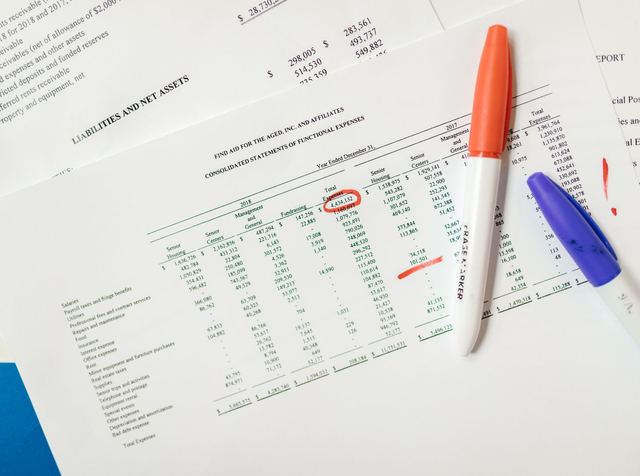

Follow one invoice from the moment it lands to the moment it is cleared for payment, and most of that path is checking rather than typing. Invoice processing automation removes the typing. Whether it removes anything else is settled before any software is chosen, by the shape the invoice arrived in and by whether the documents it has to agree with already exist in the system.
Get both right and a real share of the ledger clears without a person. Get either wrong and you have bought a faster way to create exceptions.
Invoice Processing Automation Runs End to End on Exactly One Input
An invoice reaches accounts payable (AP) in one of three shapes, and each shape costs a different amount of work before any matching can begin.
A Structured Electronic Invoice Arrives Already as Data
The only input that automates end to end is one that was never a document. The federal memorandum that directed agencies onto electronic invoicing defined the term for its own purposes as payment requests "managed as a collection of structured data elements exchanged through electronic workflow" that "requires minimal manual interaction" (OMB, Improving Government Efficiency and Saving Taxpayer Dollars Through Electronic Invoicing, M-15-19).
Structured data elements is the load-bearing phrase. The supplier's system wrote the vendor identifier, the invoice number, the line quantities and the prices into named fields, and your system reads those fields as fields. Nothing was interpreted, so there is nothing to check for a misreading. One long-established form of this is electronic data interchange (EDI), the computer-to-computer exchange of business information.
A PDF or an Emailed Image Is a Picture of Data
The tax rules draw the same line for the records a business has to keep, and the wording is exact. A machine-sensible record is "data in an electronic format that is intended for use by a computer", and such records "do not include paper records or paper records that have been converted to an electronic storage medium such as microfilm, microfiche, optical disk, or laser disk", in section 4 at .06 (IRS, Automated records, Rev. Proc. 98-25). Converting a paper record to an electronic medium does not make it a machine-sensible record.
A supplier PDF is an electronic file, but the fields the workflow needs are not in it as fields. Software can read it and produce a field-by-field guess, and that guess is a new claim about the invoice that did not exist before. Somebody or something now has to decide whether the guess is right, which is a second step the automation itself created. Where that decision sits, and what happens to the readings nobody trusts, is the same problem a coding model creates in the ledger, worked through in AI bookkeeping.
Paper Needs Scanning Before Any of That
Paper adds a capture step in front of the extraction step, with its own handling, its own queue and its own failures. A folded page, a stapled packet and a faint thermal print all fail at capture rather than at reading, and each one comes back as a human task. What that keying work costs and how to specify it are covered in accounting data entry services.
The Match Is Only as Good as the Documents That Already Exist
Reading the invoice is the easy half. The invoice then has to be checked against something, and what that something is decides whether a person is involved.
Two-Way Matching Compares the Invoice With the Order
A two-way match sets the invoice against the purchase order, meaning the document the buying business issued to commit to the purchase. It compares the item, the price, the quantity ordered and the terms, and it answers one question. Did the buyer agree to this item at this price?
It answers nothing about delivery. An invoice can match its order perfectly for goods that never arrived, and a two-way match will pass it.
Three-Way Matching Adds the Record of What Arrived
A three-way match adds the goods receipt, meaning the entry somebody in the business makes to record that the goods or services actually turned up. What that receipt contributes is independence. Somebody other than the supplier recorded it, at another moment, from the delivery rather than from the bill.
Federal payables practice splits that into two events, and the split is the useful part. Recording receipt "acknowledges that the government has received delivery of the goods and services according to the contract", while recording acceptance "acknowledges that the goods and services meet contractual requirements, and that the government is now obligated to pay the vendor". Acceptance "cannot occur without receipt", with a narrow exception for line items carrying multiple account assignments (IRS, Internal Revenue Manual 1.35.3, Receipt and Acceptance Guidelines). Those rules bind a federal agency rather than your firm or your client, so what carries over is the sequence and not the obligation.
One sentence in the same manual is the whole argument against letting the invoice speak for itself. "An invoice typically is not considered acceptable supporting documentation for recording receipt unless the invoice is the only documentation for a service" (IRS, Internal Revenue Manual 1.35.3, Receipt and Acceptance Guidelines). The supporting documents it names instead are the ordinary evidence of delivery, including time sheets, packing slips, delivery notifications and bills of lading.
Read as a control, that says an invoice is not normally its own proof of receipt. Read as an automation constraint, it means the third leg of the match has to come from somebody outside AP, usually before the invoice does, or there is nothing to compare against.
Somebody in Your Firm Sets the Tolerance
A tolerance is the band inside which a difference between the invoice and the order posts without stopping for a person. There are usually two of them, one on price and one on quantity, and they are set by whoever owns the spend rather than by the software or by whoever operates it.
Set both to zero and every freight charge, rounding difference, partial shipment and unit-of-measure mismatch becomes an exception, which is how a clean-looking configuration produces a queue nobody can clear. Widen them and the differences inside the band post without anyone reading them, on every line, every time.
A tolerance does not remove the cost of a difference. It decides where that cost lands, in a queue you can count or in lines nobody reads. So the question to put to a provider or an implementation team is not what the tolerance is, but who is allowed to change it and where that change is recorded.
Non-PO Invoices Are the Ceiling No Software Lifts
An invoice with no purchase order behind it has nothing to match against. Professional fees, subscriptions, utilities, insurance and much of what a partner buys directly arrive this way, and no extraction tool or rules engine can compare them with an order that was never raised.
That caps the share of your ledger that can clear untouched, and the cap is set in purchasing rather than in payables. What is left on a non-PO invoice is a person who can say the spend was authorized and the amount is right, which is an approval and not a match. Any figure quoting the share of invoices processed without a person has to be read against the exception numbers on the same denominator, a rule worked through in what an accounts payable outsourcing case study has to report.
Where the Failed Invoices Go, and Who Owns Each One
Invoices that fail the match do not form one queue. They form several, and only one of them belongs to AP.
- A price above tolerance goes back to whoever agreed the price, because the invoice may be right and the order stale.
- A quantity variance goes to receiving, since the question is what arrived rather than what was billed.
- A missing goods receipt goes to the person who took delivery and never recorded it, which is usually a habit problem rather than a systems one.
- A missing purchase order goes to whoever committed the spend, and it is a purchasing decision made after the fact.
- An unknown vendor goes to whoever is allowed to set one up, a permission that stays inside the buying firm and never travels with the keying.
- A coding or entity error is the payables team's own, and it is the only line on this list they can close without asking anyone.
Sorting fallout that way is worth more than a single throughput figure, because it tells you which department is actually generating the manual work. An AP team measured only on volume will keep clearing other people's exceptions all year.
Duplicate Detection Is a Matching Rule Before It Is a Recovery
A duplicate check is a comparison, not a discovery. It keys on a combination of fields, typically the vendor identifier, the invoice number, the amount and the invoice date, and it flags a new invoice that matches an existing one across enough of them.
What defeats it is ordinary rather than clever. An invoice number re-keyed with a leading zero, a prefix or a stray space is no longer an exact match. The same invoice arriving by email and again through a supplier portal produces two records with two identifiers. A supplier set up twice in the vendor file splits the comparison across two vendor identifiers, so neither copy ever meets the other. A statement re-billed as an invoice looks new by every field the rule reads.
So the useful questions are mechanical. Which fields does the rule compare, how does it normalize them before comparing, and what happens when three of four match, a hard block or a flag somebody has to clear? A recovery figure answers none of that, and why a recovery number describes the leak rather than the repair is already set out in that same AP case study.
The Captured Image Is a Record With Its Own Duties
Scanning an invoice does not only move it into a workflow. It creates a record, and the record carries requirements that the workflow does not mention.
The base duty reaches the source document, not only the ledger entry it produced. A person subject to income tax has to keep records "sufficient to establish the amount of gross income, deductions, credits, or other matters required to be shown" in the return (eCFR, 26 CFR 1.6001-1(a)), and an invoice supporting a deduction is one of them. How long that obligation runs is covered in the guide to outsourcing bookkeeping.
What the Storage System Has to Do
Once the image replaces the paper, the storage system itself is what is being judged. It must "ensure an accurate and complete transfer of the hardcopy or computerized books and records to an electronic storage media", and it must include "reasonable controls to prevent and detect the unauthorized creation of, addition to, alteration of, deletion of, or deterioration of electronically stored books and records", an "inspection and quality assurance program evidenced by regular evaluations", an indexing system, and "the ability to reproduce legible and readable hardcopies", in section 4 at .01 (IRS, Rev. Proc. 97-22).
The example the procedure gives lands squarely on the coding step. Stored information has to support the books and records, and the two "must be cross-referenced in a manner that provides an audit trail between the general ledger and the source document(s)", in section 4 at .01(4) (IRS, Rev. Proc. 97-22). An automation project either builds that trail deliberately or quietly breaks it the first time a posted line loses its link to the image behind it.
Two more sentences belong in any conversation with a capture provider. Using a third party to run the storage system "does not relieve the taxpayer of the responsibilities described in this revenue procedure", in section 3 at .03, and the system "must not be subject, in whole or in part, to any agreement (such as a contract or license) that would limit or restrict the Service's access to and use of the electronic storage system", in section 4 at .01(7) (IRS, Rev. Proc. 97-22). That second one is a contract term, and it is easier to negotiate before the first batch than after.
The Image Is Not the Data
Storing a good image does not discharge the duty to keep the underlying electronic records. Hardcopy records may be retained in a compliant electronic storage system, and the procedure is blunt about what that does not achieve. "These records are not a substitute for the machine-sensible records required to be retained by this revenue procedure", in section 11 at .01 (IRS, Automated records, Rev. Proc. 98-25).
The worked example in the same procedure is about invoices. A business receiving electronic invoices decides to keep the invoice data in its accounts payable system rather than the incoming transactions themselves, and neither the transactions nor the system carries product descriptions or vendor names, so it "must supplement its EDI records with product code description lists and a vendor master file" (IRS, Automated records, Rev. Proc. 98-25). Automation strips an invoice down to the fields the workflow needs, and the fields it discards can be the ones that made the record complete.
When the Paper Can Actually Go
Scanning is not the event that lets you shred. The procedure permits destruction of the original hardcopy after the taxpayer "has completed its own testing of the electronic storage system" establishing that records are reproduced in compliance, and "has instituted procedures that ensure its continued compliance", in section 7 (IRS, Rev. Proc. 97-22). Testing and written procedures are the condition it names, and a firm that skipped both still has a paper obligation it thinks it retired.
What Automation Actually Moved
The keying moves, and that is a real gain worth buying. The rest of the path does not move with it.
Exceptions still need someone who can tell a stale order from a wrong invoice. The chase for a missing goods receipt is still a call to the person who took delivery. Approval is still a decision a named person makes and owns, and the invoices with no order behind them still arrive at that person's desk with nothing automated in front of them. A capture and coding provider changes who does the keying rather than how much checking remains, one of several models sorted in how to compare accounts payable outsourcing companies.
So size the project by the exception queue, not by the invoice count. Take last month's payables and split it three ways: invoices that arrived as data with an order and a goods receipt already recorded, everything else that has an order behind it, and invoices with no order at all. The first group is what automation clears. The second is what it speeds up and still hands to a person. The third is the work you are actually short-staffed on, and it will be there after the software goes live.
If that third pile is the one carrying your month, the answer is capacity rather than another tool. Accountably places trained offshore accountants and tax preparers inside US CPA and EA firms, ramped on your software and SOPs in under 3 weeks, with approval and payment release untouched. Since 2022 that is 20+ US firms and 30+ placements. Don't trust us. Test us. Ask for a trial task on a block of your own payables work and grade the output yourself. If a placement is not the right fit in the first 45 days, we replace them free.
This article is educational, not tax advice. Rules change, and states differ. Confirm thresholds, deadlines, and elections against the current IRS instructions for your year and facts.