Summarize this article with AI
In Brief
Form W-2 reports wages and withheld taxes – employers file one per employee from whom income, Social Security, or Medicare tax was withheld (per the IRS Instructions for Form W-2). Tax year 2025 Copy A is due to the SSA by February 2, 2026, and Copies B, C, and 2 must reach employees by the same date. Box 1 carries federally taxable wages, Box 3 caps at the $176,100 Social Security wage base, and any filer crossing 10 information returns in aggregate must e-file. Corrections use Form W-2c with a Form W-3c transmittal back to the SSA.
Payroll teams often think of W-2 season as a January problem, but for tax year 2025 the deadline lands on Monday, February 2, 2026, because January 31 falls on a weekend. That single date governs Copy A to the SSA and Copies B, C, and 2 to employees, and missing it carries tiered penalties per form.
Form W-2 reports each employee's wages and the income, Social Security, and Medicare tax you withheld. Box 1 carries federally taxable wages, Boxes 3 and 7 combined cannot exceed the $176,100 Social Security wage base for 2025, and Box 5 Medicare wages has no cap. Any filer crossing 10 information returns in aggregate must e-file, and corrections run through Form W-2c.
Key Takeaways
- Furnish Copies B, C, and 2 to employees, and file Copy A with SSA, by the statutory January deadline. For 2025 wages, the due date shifts to Monday, February 2, 2026, because January 31 falls on a weekend.
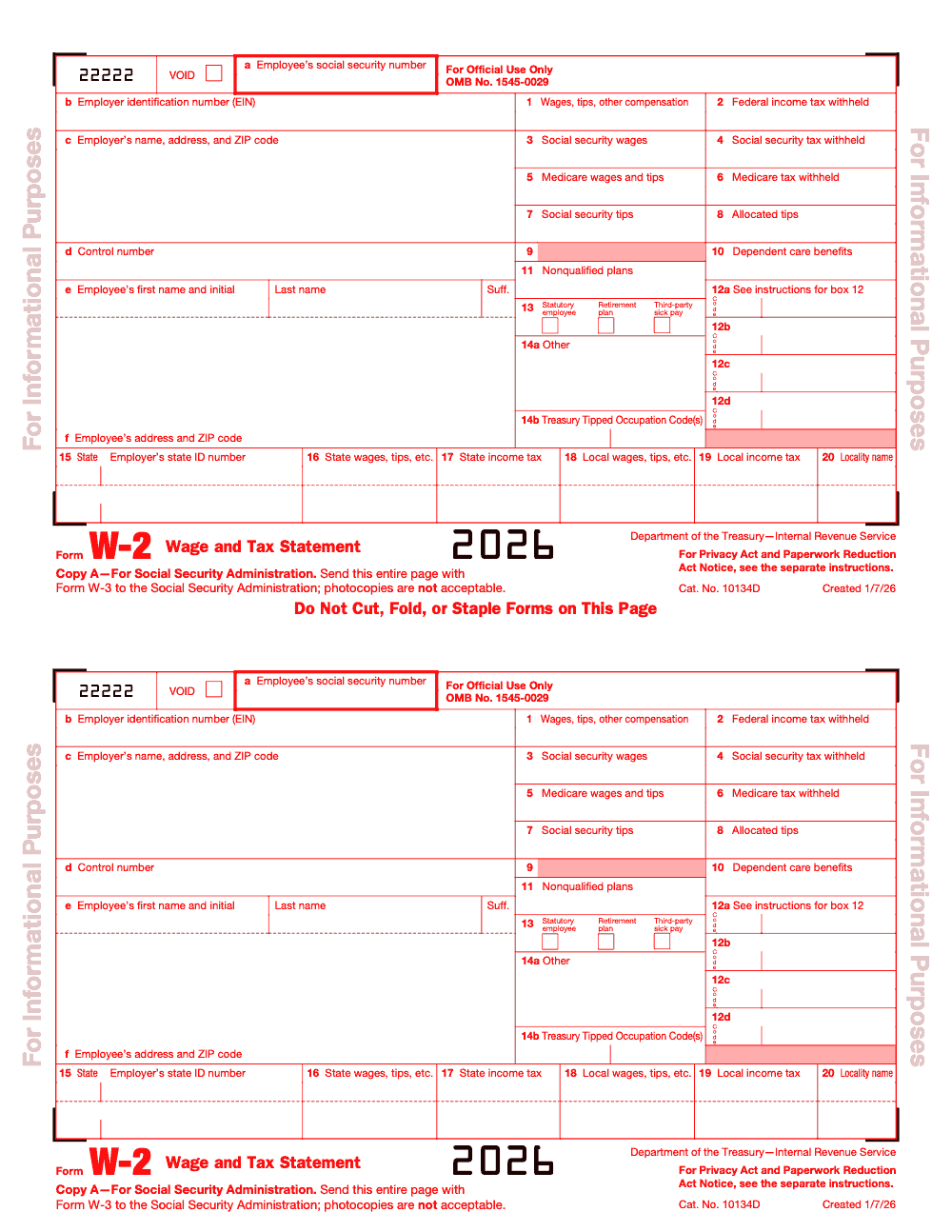
- If you file 10 or more total information returns for the year, including W‑2s and 1099s combined, you must e‑file. Paper Copy A is allowed only when permitted and must be the official scannable format or an approved substitute, not a website printout.
- Box 1 drives Form 1040 wages. Boxes 3 and 7 combined cannot exceed the Social Security wage base, which is 176,100 for 2025. Box 5, Medicare wages, has no cap.
- Corrections go on Form W‑2c with the SSA and a corrected copy to the employee, as soon as you find the error. BSO supports e‑filing W‑2c.
- Penalties are tiered per form for filings due after December 31, 2025, generally 60, 130, or 340, with at least 680 for intentional disregard, and annual caps that are higher for larger filers.
What Form W‑2 is and why it matters
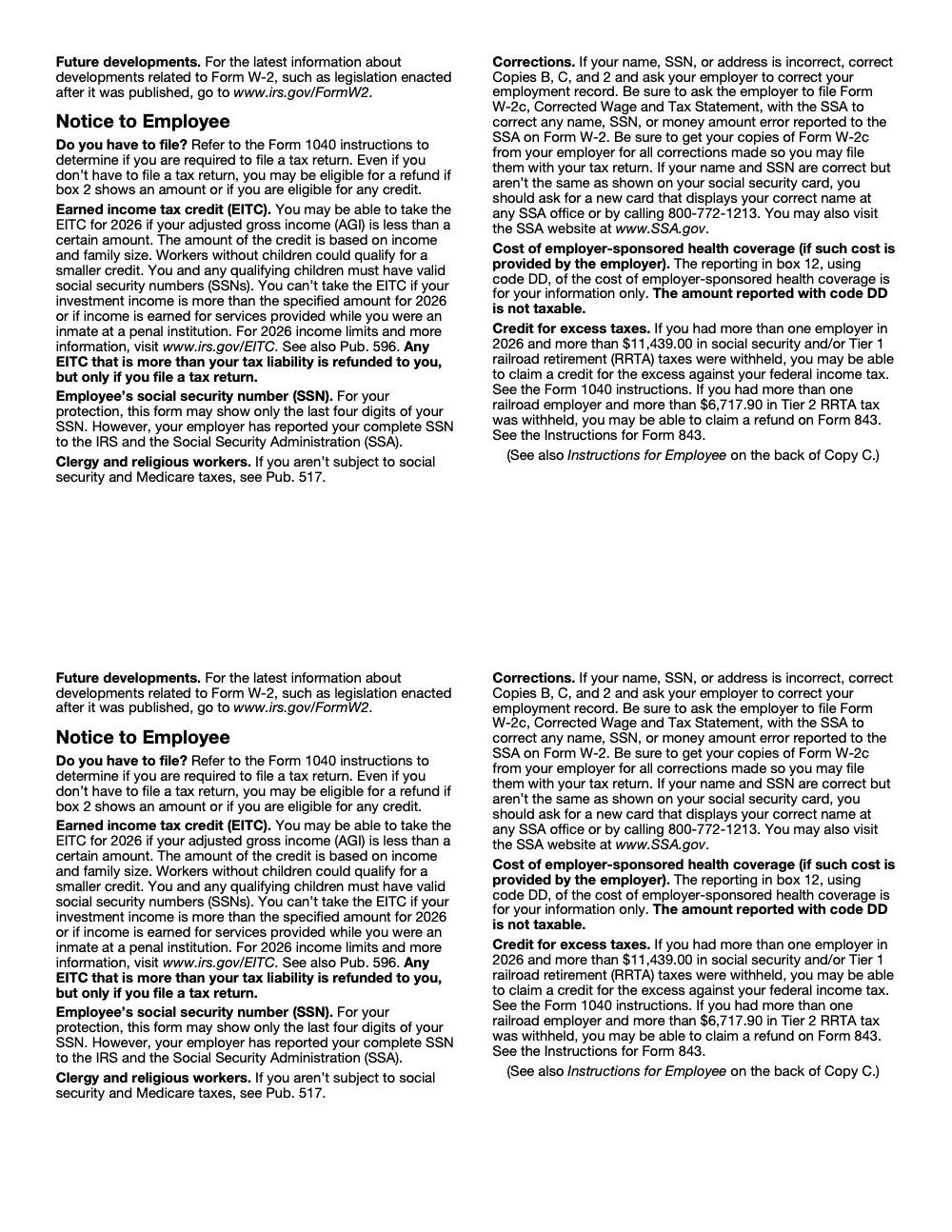
Form W‑2, Wage and Tax Statement, reports calendar‑year wages and withheld taxes for each employee. SSA uses Copy A to update earnings records, then transmits validated wage data to the IRS for matching. You issue a W‑2 for an employee if you withheld any federal income, Social Security, or Medicare tax, or if total wages were at least 600. Employees use their copies to file federal and state returns and to verify benefits and loans, so clean reporting reduces audit and service friction for months after January.
The legal foundation in one line
Congress requires the statement under 26 U.S.C. §6051, and Treasury regulations specify format and electronic delivery rules, including consent and access periods when you furnish W‑2s online. If you plan to furnish electronically, make sure your process meets those consent, notice, and access standards.
Why this article uses 2026 filing‑season dates
You are preparing W‑2s for 2025 wages in January 2026. Because January 31, 2026 falls on a weekend, the furnish‑and‑file deadline moves to Monday, February 2, 2026. Mark that date in your calendar and in your payroll system reminders. If you need a filing extension, note that W‑2 extensions are limited and require Form 8809 with qualifying reasons, and they do not extend the employee furnish date.
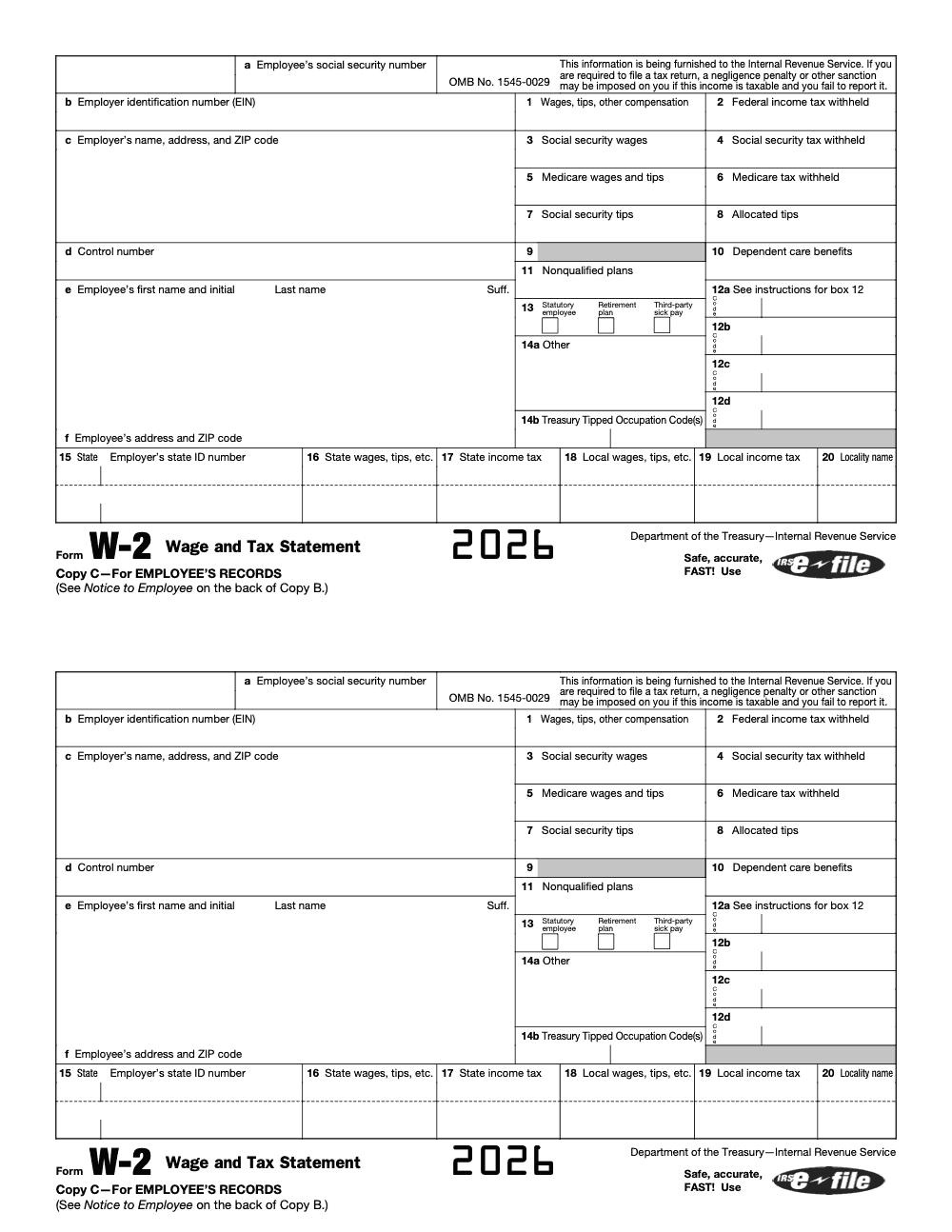
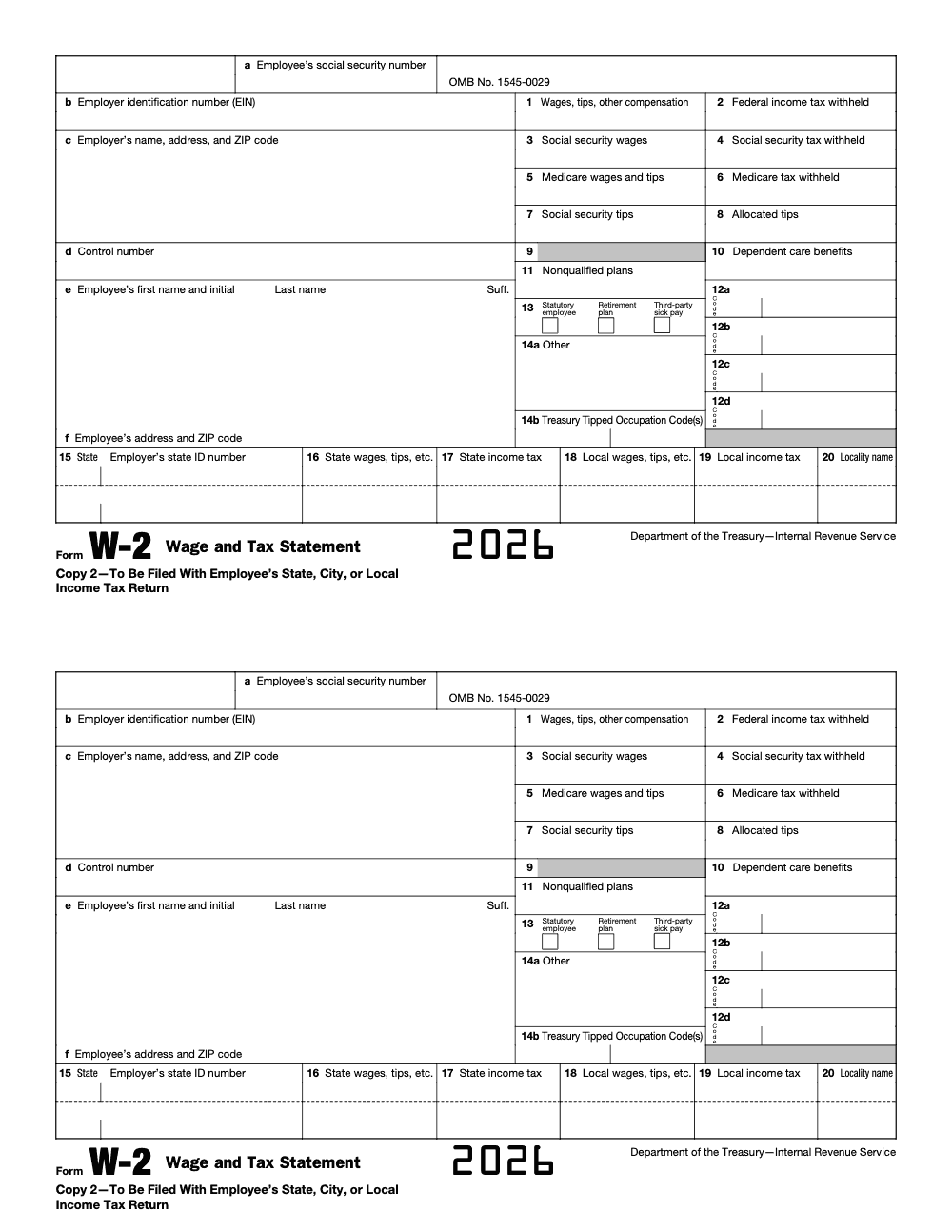
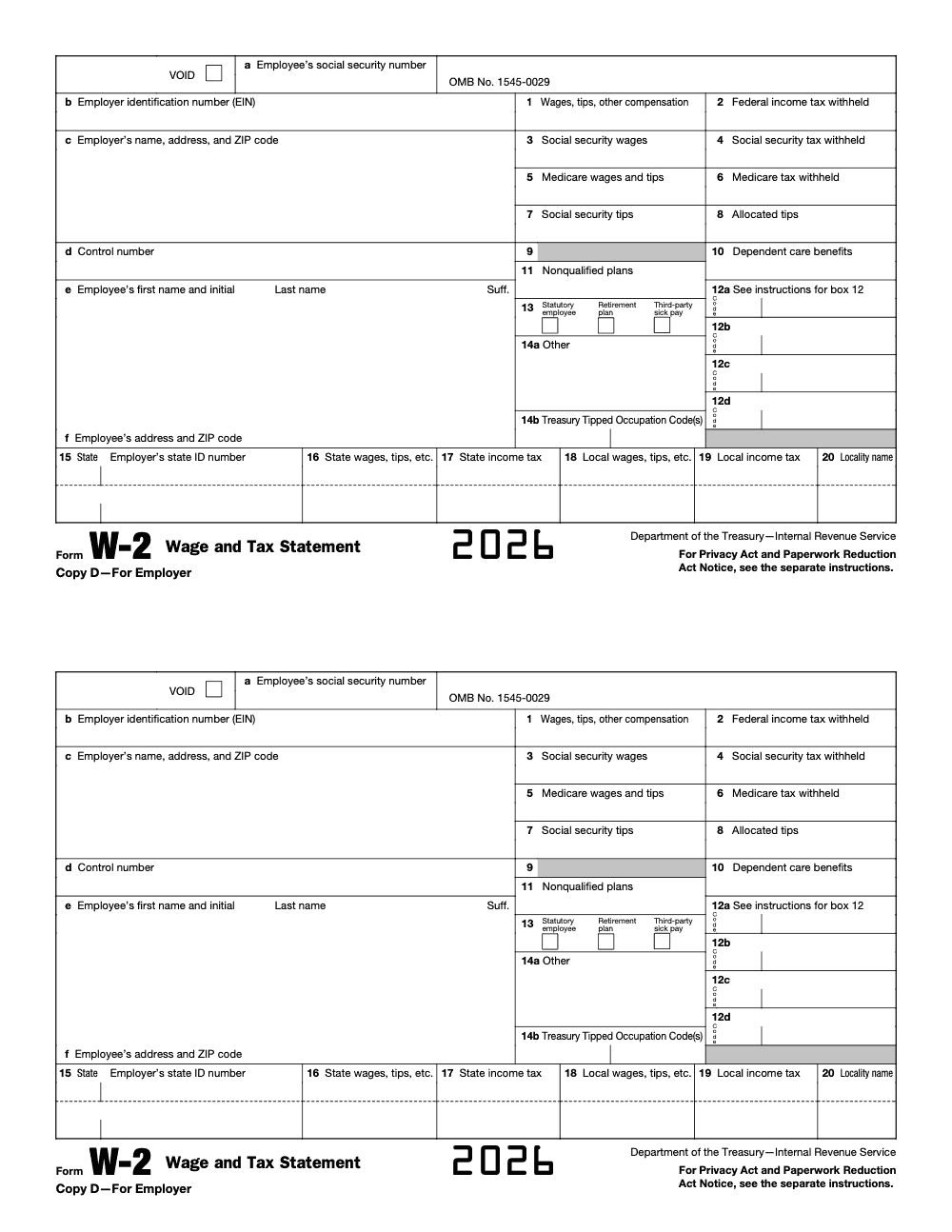
Quick glossary of W‑2 boxes you will actually check
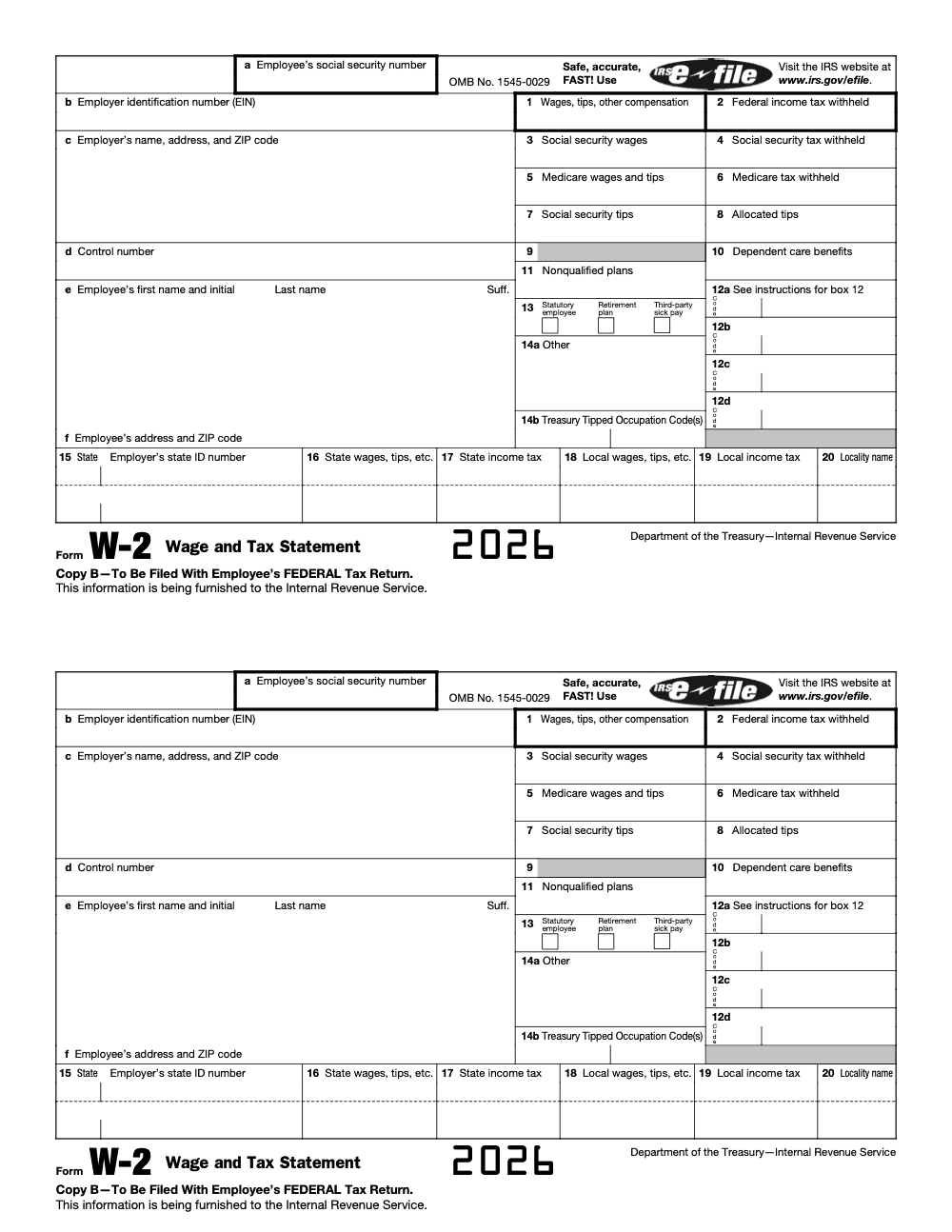
- Box 1, wages, tips, other compensation, the amount your employees carry to Form 1040 (this excludes employee pre‑tax 401(k), 403(b), and section 125 cafeteria plan deferrals but includes designated Roth contributions, so Box 1 rarely equals gross pay on the pay stub).
- Boxes 2, 4, 6, federal income tax, Social Security tax, and Medicare tax withheld.
- Box 3 Social Security wages, plus Box 7 Social Security tips, capped at the year’s wage base, 176,100 for 2025.
- Box 5 Medicare wages and tips, no wage base limit.
- Box 8 allocated tips, if you run a large food or beverage establishment, not included in Boxes 1, 3, 5, or 7 (employees must file Form 4137 with their return to pay the Social Security and Medicare tax owed on the allocated amount, the income is not ignorable).
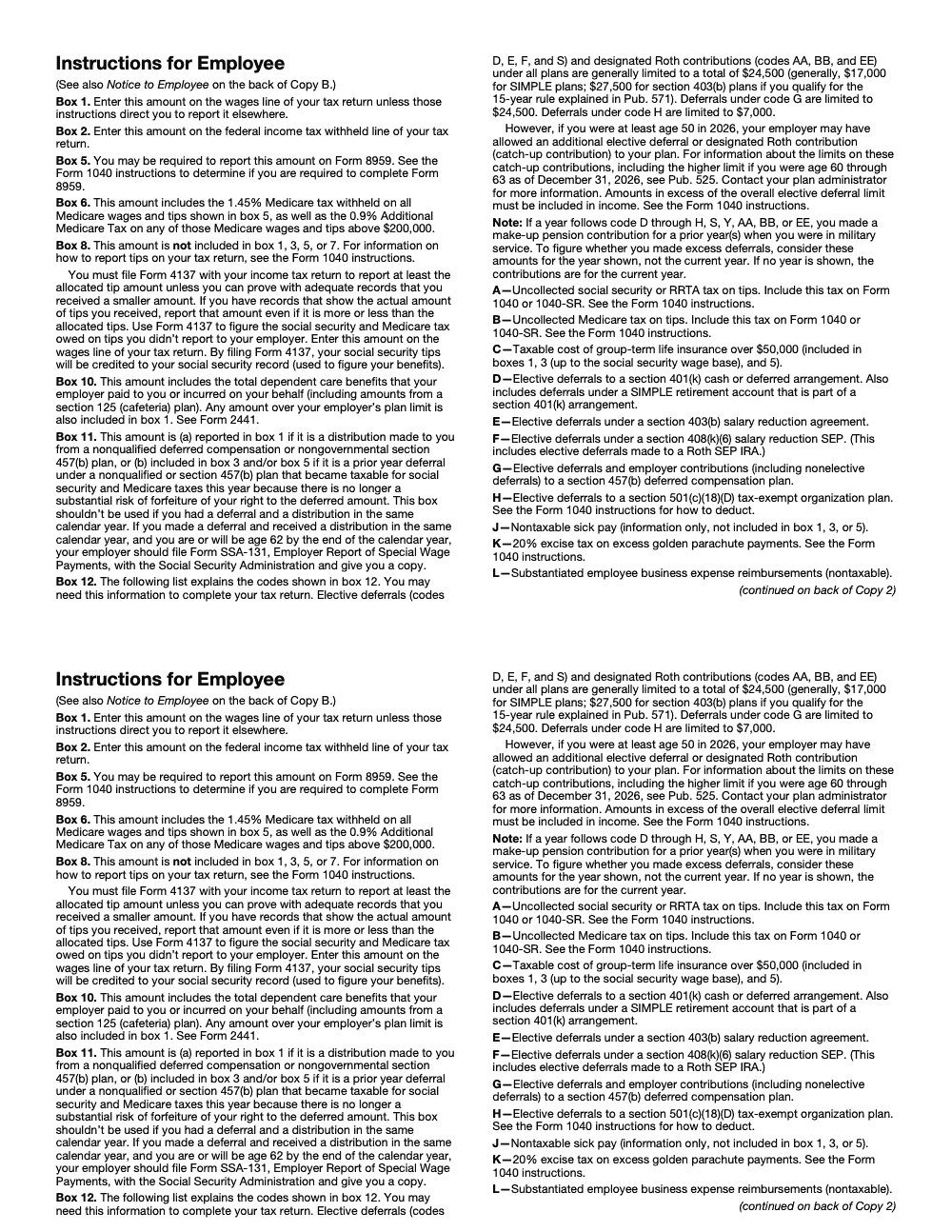
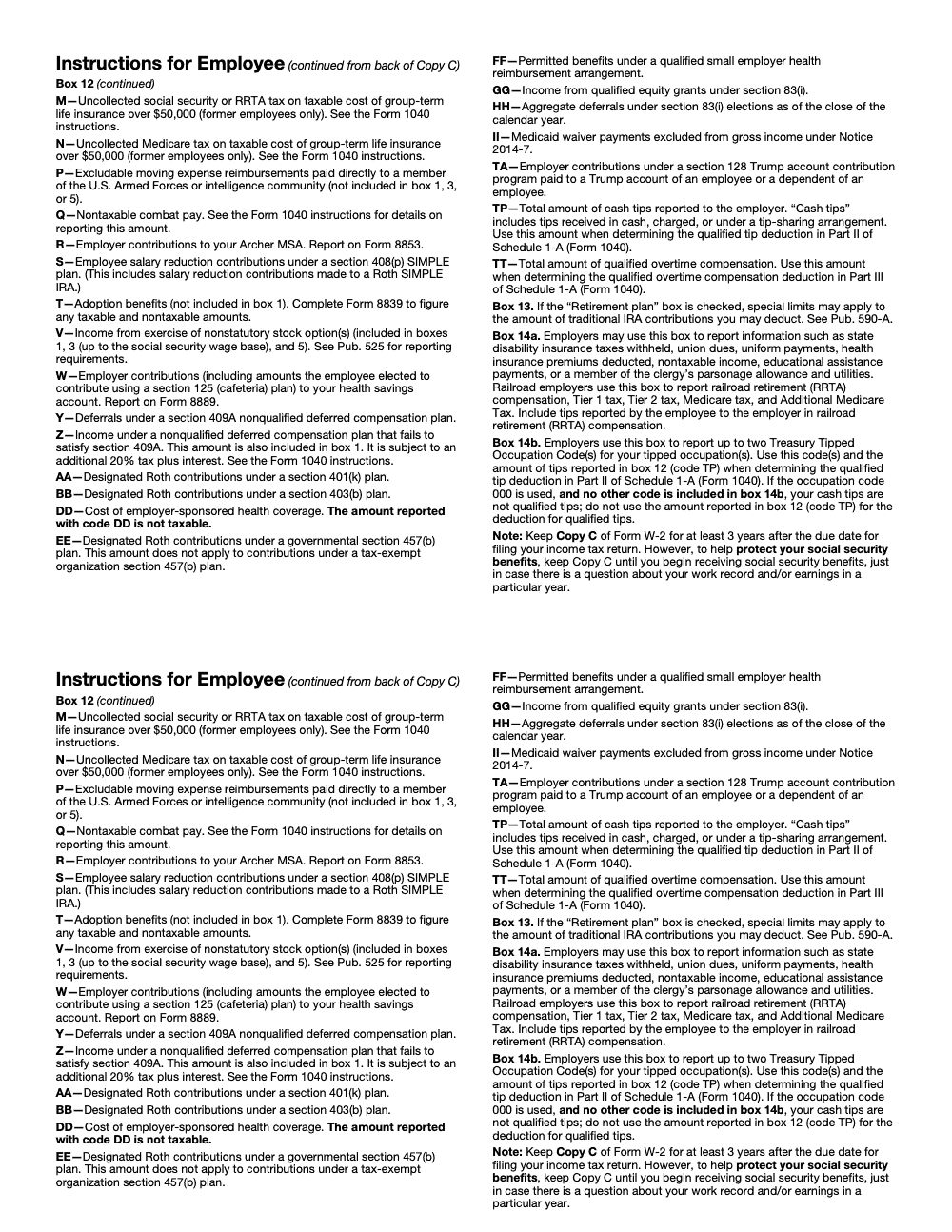
- Box 12 codes, retirement deferrals, HSA, group‑term life over 50,000, and more. Use the IRS instructions for the full code list and examples, and build a year‑end check to catch fringe benefits and pre‑tax deductions that move Box 1 without touching Boxes 3 and 5.
Bottom line, a short “box logic” review in December saves you from last‑minute W‑2c runs in February.
How to file, furnish, and e‑file without drama
E‑file is now the default for most filers
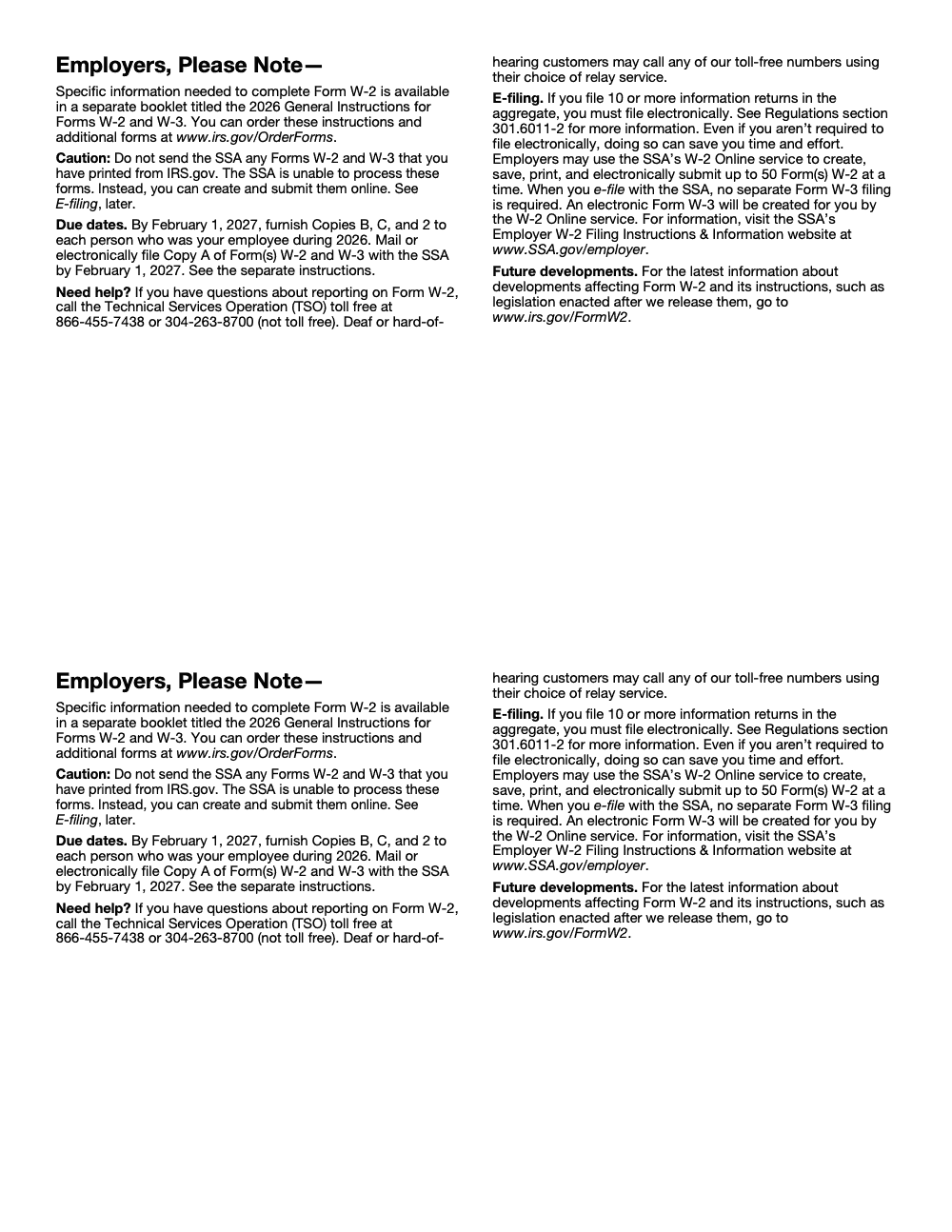
If your total count of information returns for the year is 10 or more, you must e‑file W‑2s. Add up every return type you file, W‑2, 1099 series, 1095, 1042‑S, W‑2G, and others. When you e‑file with SSA Business Services Online, W‑3 data is created automatically, so you do not mail a paper W‑3. Register for BSO and sign in with Login.gov or ID.me, then either key forms online or upload an EFW2 file from payroll.
When paper is allowed, do it right
If you mail Copy A, it must be the red‑ink scannable form or an approved substitute that meets SSA specs. Do not print the website sample and mail it, and do not staple or fold forms. Send Copy A with a W‑3 to SSA’s Wilkes‑Barre address. Paper is slower, increases error risk, and can trigger penalties if you were required to e‑file, so use it only when permitted and necessary.
Furnishing employee copies electronically, the right way
You can furnish employee copies electronically, but only with affirmative consent that proves the employee can access the statement in that format. You must give clear disclosures, allow withdrawal, and keep access open through October 15 following the year. If you post W‑2s on a portal, send a specific notice telling employees how to access and print, and furnish paper if an electronic notice bounces and you cannot update the address. These rules live in Treasury’s electronic statement regulation, so align your HRIS or payroll portal workflow with them.
Pro tip, if you furnished the original W‑2 electronically, furnish the W‑2c electronically too, unless the rules say otherwise. Match your correction channel to the original channel.
Copies and who gets what
| Copy | Who gets it | Notes |
| Copy A | SSA | E‑file when you hit the 10‑return threshold, paper allowed only with the official scannable format or approved substitute. |
| W‑3 | SSA | Required only with paper Copy A. E‑filed submissions generate W‑3 data automatically. |
| Copy B | Employee | Used for the federal return. |
| Copy C | Employee | Keep for records and benefits verification. |
| Copy 2 | Employee | Attach to state or local return when required. |
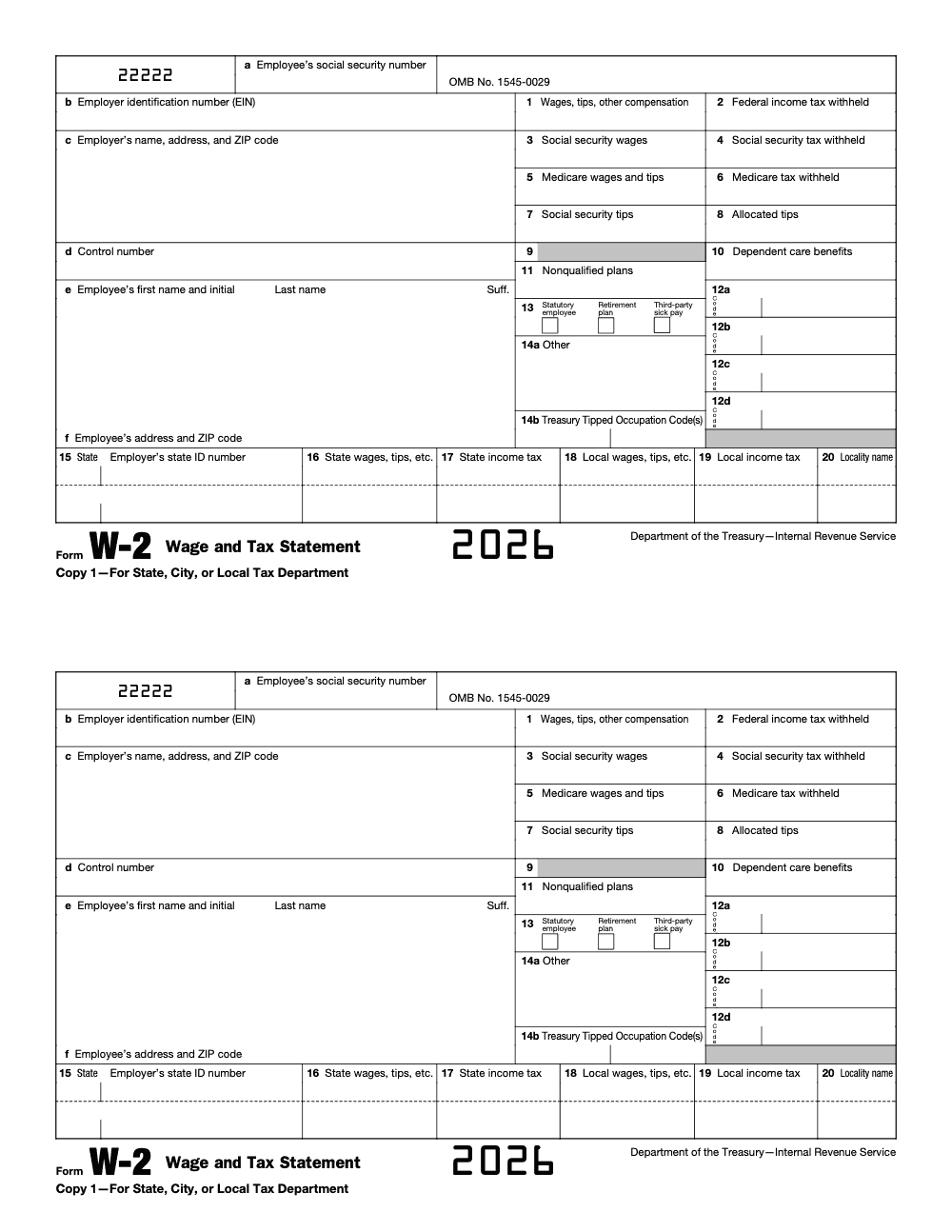
| Copy 1 | State or local agency | Sent where state or local rules require it. |
| Copy D | Employer | Keep at least four years with payroll reconciliations. |
You may truncate the SSN on employee copies following IRS rules, however never truncate the SSN on Copy A you send to SSA. Check the instructions for the exact truncation format and placement before batch creation.
The 2026 filing‑season calendar
- Furnish Copies B, C, and 2 to employees by Monday, February 2, 2026.
- File Copy A with SSA by Monday, February 2, 2026 (the same deadline applies whether you file on paper or electronically, e‑filing does not buy extra time).
- If you need an extension to file with SSA, request a limited 30‑day extension on Form 8809, which is granted only for extraordinary reasons, and note this does not extend the employee furnish date. Schedule internal cutoffs a few days earlier to protect your deadline.
Year‑end reconciliation that saves you hours
Before you lock your W‑2s, tie Forms 941 for all four quarters to your W‑3 totals, confirm Box 1 versus pre‑tax deductions and fringe benefits, check that Boxes 3 and 7 together do not exceed 176,100 for 2025, and confirm that Box 5 has no cap. Validate names and SSNs through SSA’s verification tools. This five‑point tie‑out prevents most W‑2c work.
If you have tipped employees, verify daily tip reports and make sure Box 7 and, if applicable, Box 8 are populated correctly. Keep your tip procedures tight so you do not end up chasing underreported tips in February.
Corrections, penalties, and how to avoid both
When to file Form W‑2c, and how
File a W‑2c any time a previously filed W‑2 had an incorrect amount, name, SSN, or EIN. File Copy A of the W‑2c with SSA, furnish the corrected copy to the employee, and, if taxes changed, amend the affected quarters with Form 941‑X. SSA’s “Helpful Hints” reminds filers to submit W‑2c as soon as you find an error, and to include a W‑3c with every W‑2c batch.
A simple workflow that works: identify the error and year, reconcile to corrected totals, prepare W‑2c for each impacted employee, prepare the W‑3c, e‑file through BSO, and document the root cause so you do not repeat it next year. If you are correcting only the name or SSN, complete boxes d through i on W‑2c and do not change the money boxes. If the prior W‑2 had blanks or zeros for both name and SSN, call SSA for instructions rather than filing a W‑2c.
The penalty matrix you should memorize
For filings due after December 31, 2025, penalties for late or incorrect W‑2s are indexed for inflation and applied per form. Correct within 30 days, 60 per W‑2, correct by August 1, 130 per W‑2, fix after August 1 or never correct, 340 per W‑2. Intentional disregard starts at 680 per W‑2 with no cap. There are lower annual caps for small businesses, and there are limited de minimis relief provisions and reasonable‑cause exceptions, but you should not plan on them.
Remember, filing on paper when you were required to e‑file is its own penalty‑trigger. Furnishing employee copies late runs on a parallel penalty track, with the same amounts. Accurate, on‑time e‑filing plus quick corrections keep you out of that loop.
Security risks that spike during W‑2 season
W‑2 files have everything identity thieves need, names, addresses, SSNs, and wages. That is why business email compromise spikes in January, often using executive spoofing to request a full W‑2 export.
Make W‑2 season a security freeze period. Limit who can export wage files, enforce MFA across payroll, portals, and storage, and require an out‑of‑band verification call to a saved number before any W‑2 data leaves your system. Train the team to spot urgent, unusual requests for all W‑2s. The IRS highlights W‑2 related phishing in its annual scam alerts and Dirty Dozen campaign, and it provides reporting channels if you are targeted.
Practical actions you can take today: turn on MFA, use least‑privilege access for wage files, send employee copies through a secure portal instead of email, and use SSA BSO only from secured devices. If you suspect a W‑2 data loss, the IRS publishes reporting steps and email contacts to contain damage quickly.
Employee copies, lost or missing
Employees who cannot obtain a W‑2 in time can file using Form 4852, Substitute for Form W‑2, and may need to amend later if the employer issues a W‑2 or W‑2c with different figures. Your clean and timely furnishing prevents that detour.
Year‑end checklist that keeps you out of the W‑2c lane
- Reconcile Q1–Q4 Forms 941 to W‑3 totals and sample a few W‑2s for box‑level tie out.
- Confirm Box 1 versus pre‑tax deductions and fringe benefits, especially group‑term life and HSAs in Box 12.
- Check that Boxes 3 and 7 combined are at or below 176,100 for 2025, and confirm Box 5 has no cap.
- Validate names and SSNs with SSA tools before you create your final file and employee copies.
- Test a small e‑file batch in BSO, then run your full EFW2.
- Lock addresses, multi‑state details, and local taxes before furnishing employee copies.
Where teams get stuck, and a practical fix
Most January slowdowns are delivery problems, not knowledge gaps. The common traps are missing SOPs, inconsistent workpapers, and unclear review roles. A one‑page W‑2 prep pack, a brief review rubric, and a time‑boxed correction window cut rework dramatically.
A brief note on Accountably
If your firm dreads W‑2 season because your team is buried in production and review loops, you may need structure, not more resumes. Accountably integrates trained offshore teams into your workflow with SOPs, structured workpapers, and layered reviews that protect partner time while meeting deadlines. We work inside your payroll and practice systems with role‑based access and predictable turnaround, so January feels manageable again. Mentioned here because many firms ask how to add capacity without losing control.
Final word
You do not need a hero month, you need a repeatable system. When you standardize your prep pack, set clear review roles, e‑file on time, and keep security tight, W‑2 season becomes routine. Block time for the year‑end tie‑out, confirm your boxes, and protect that first week of February on your calendar. Your team ships on time, your clients stay calm, and you enter busy season with momentum.
Note, this article is general education, not tax advice. Always confirm dates, thresholds, and filing requirements against the latest IRS Instructions for Forms W‑2 and W‑3 and SSA guidance, especially if you read this after November 6, 2025.
Common Mistakes We See Every Season
Every W-2 cycle surfaces the same predictable errors. Catch them on the checklist before Copy A leaves the building.
Reusable Checklists
Copy these into the firm or payroll SOP and check them off in order. Each list is built for the W-2 cycle, not a generic close.
January W-2 packet
- Verify each employee's name and SSN against the Social Security card or SSNVS (up to 10 instant per screen, up to 250,000 per overnight batch).
- Confirm year-to-date wages and withholdings tie to all four 2025 Form 941 totals before any Copy A is generated.
- Recompute Box 1 = gross pay minus pre-tax deferrals (401(k), 403(b), 457(b), SIMPLE, section 125), plus Roth contributions and taxable benefits.
- Cap Box 3 at $176,100; confirm Box 4 = (Box 3 + Box 7) × 6.2% and does not exceed $10,918.20.
- Confirm Box 6 = (Box 5 × 1.45%) plus 0.9% Additional Medicare Tax on wages above $200,000.
- Pull active-participant rosters from every retirement plan recordkeeper and reconcile to the Box 13 Retirement plan checkbox.
- Run duplicate-SSN and zero-wage reports before locking Copy A for SSA submission.
E-file threshold check
- Sum expected W-2, 1099-NEC, 1099-MISC, 1099-K, 1095, and 5498 counts for the calendar year.
- If total is 10 or more in aggregate, route W-2s through SSA Business Services Online and 1099s through IRIS or FIRE.
- For SSA W-2 Online, batch submissions in groups of up to 50 forms per session; W-2c sessions are capped at 25.
- Save the SSA submission confirmation (WFID) with the engagement file before closing the cycle.
- Recheck the threshold mid-November so a late 1099 surge does not push the firm onto mandatory e-file without time to register for BSO or IRIS.
W-2c correction flow
- Identify the field in error: name, SSN, wage box, tax box, or Box 12 code.
- Prepare Form W-2c with the originally reported values and the corrected values side by side.
- File Form W-2c with a Form W-3c transmittal to the SSA, capped at 25 W-2c forms per BSO online session.
- Furnish the corrected Copy B, C, and 2 to the affected employee on the same day the correction reaches the SSA.
- If the wage correction crosses a quarterly Form 941 line, prepare Form 941-X for the affected quarter.
- Document the root cause in the engagement file so the same bucket gets caught at intake next cycle.
Keep W2 Season From Stalling
W-2 season is the shortest, most rule-dense window in the U.S. payroll year. The statutory deadline is January 31, which slid to February 2, 2026 for tax year 2025 because January 31 falls on a Saturday, and both Copy A to the SSA and Copies B, C, and 2 to employees share that single date (per the IRS Instructions for Form W-2, 2026). Anyone filing 10 or more information returns in aggregate must e-file across Forms W-2, 1099-NEC, 1095, and 5498 combined, so a payroll team that filed paper W-2s last year may be on mandatory e-file this year without realizing it.
The pressure compounds because every W-2 also has to tie to four quarterly Form 941 reconciliations, Box 1 versus Box 3 versus Box 5 follow different inclusion rules, and a single mis-keyed SSN turns into a Form W-2c plus an SSA Business Services Online correction in February. Most stall-outs are not skill problems, they are sequencing problems.
- Lock the SSNVS verification step in early January so name and SSN mismatches surface before Copy A is generated, not after the SSA rejects the file.
- Tie Box 1, 3, 5, and 7 totals to the four 2025 Form 941 returns the same week W-2 drafts are produced, so any mismatch is caught while payroll data is still fresh.
- Pull retirement-plan active-participant rosters from every recordkeeper to drive the Box 13 checkbox; do not infer it from contribution data, which misses defined-benefit participants.
- Track 401(k), 403(b), 457(b), and SIMPLE deferral codes (D, E, G, S) in Box 12 against the 2025 elective deferral caps ($23,500 for 401(k), $16,500 for SIMPLE) so any excess deferral surfaces before the employee's 1040.
- Build the W-2c queue on day one rather than day thirty: flag the typical sources (name change, SSN typo, late fringe benefit posting) and route them straight into the BSO correction track.
Accountably's U.S.-led offshore tax and payroll teams own the sequencing piece so the January 31 deadline does not collide with February 941 review work. SOPs cover the SSNVS check, the four-quarter 941 tie-out, the Box 13 active-participant pull, and the W-2c queue, with the review tier signing off on every Copy A batch before submission to the SSA.
FAQs
It reports annual wages and federal, Social Security, and Medicare taxes withheld for each employee. SSA uses Copy A to credit earnings and shares data with the IRS, while employees use their copies to file returns and verify benefits and loans.
A W‑4 tells you how much to withhold during the year. A W‑2 summarizes what you actually paid and withheld for the calendar year and is the basis for filing returns.
Yes, if you withheld any federal income, Social Security, or Medicare tax. The 600 trigger applies when no taxes were withheld and only for wages paid in 2025, for wages paid in 2026 and later, OBBBA raises this no‑withholding reporting threshold to 2,000.
Only if the employee has affirmatively consented and your process meets the IRS electronic furnishing rules, including clear disclosures and access through October 15. Otherwise, furnish paper.
No, BSO creates the W‑3 data for you when you e‑file. You send a paper W‑3 only with paper Copy A.
Employees can use Form 4852 as a substitute when an employer fails to furnish a W‑2 on time or issues an incorrect one, then amend later if needed. Encourage employees to reach out early so you can resolve address or access issues.
Form W‑2 family
- Form W-2c: Guide to Correcting W-2 Errors
Other forms this guide names
- Form W-3: What It Is, Filing Deadline, W-3c Corrections
- Form 941: Employer's Quarterly Tax Return Guide 2025
- Form W-3c: W‑2c Corrections, E‑File Rules, Addresses
- Form 1040: Filing Guide for 2025 Returns (AGI, Deductions, Deadlines)
- Form 1099-NEC: Rules, Who Gets One, How to File
- Form 5498: IRA Guide for Contributions, Rollovers, FMV, RMDs
Summarize this article with AI
About this guide
Accountably helps US CPA, EA, and accounting firms hire trained accountants and tax preparers in India.
About us Reviewed byJugal Thacker, CPAFounder and CEO at Accountably
A Washington-licensed CPA with 7+ years inside US firms – PwC, a real-estate tax practice, then a full-service firm, rising from reviewer to manager to advisory. This article was reviewed against current IRS guidance for the 2025 tax year and updated for filers preparing late returns, amendments, and 2026 estimates.
View profile →How we research, review, and update this guide
Every Accountably guide is researched against primary IRS sources, reviewed by a U.S. CPA, and refreshed as guidance evolves. Read our Editorial Guidelines to see how we source, fact-check, and update our content.